
This handbook describes Auto Plus+ as it works today. It is written for the people who use it: the manager who runs a fleet, the garage that registers a repair, the collector who takes the cash, and the support desk behind them.
Screens and buttons are named here exactly as they appear in the dashboard. The same screens carry Arabic and Kurdish; the words change, the place does not.
If something here does not match what you see, the handbook is wrong. Tell us, and we will fix it. The version this text was checked against is at the bottom of this page.
What Auto Plus+ is
Auto Plus+ keeps one record of a fleet and of everything that happens to it: what was repaired, what it cost, what falls due, and what is still owed.
Three parties share that record.
- Your organisation owns the vehicles, the drivers and the money. It sees its own fleet and nothing else.
- The garage does the work. It opens one vehicle at a time, using the code from that vehicle’s card, and writes down what it did.
- Auto Plus+ keeps the books behind both: the commission a garage owes on completed work, and the monthly subscription an organisation pays.
Everything runs in a browser, at system.myauto.plus. It works on the phone at the counter as well as on the computer in the office, and there is nothing to install.
What it does not do
- It does not move money. Cash goes from hand to hand the way it already does. Auto Plus+ writes down what was paid, against what, and hands over a numbered receipt.
- It does not sell hardware. If a vehicle carries a GPS box, its position can be read. Without one, there is no position, and that is not a fault.
- It does not follow a driver. Trip logging, the driver app and roadside assistance are switched off. What the system knows about a vehicle is what somebody wrote down and what a tracker reported.
Amounts are in Iraqi dinars. Digits stay western in all three languages, so an exported number opens the same everywhere.
Roles: what you see, what you may do
Every account has one role, and the role decides everything else.
| Role | Sees | Does |
|---|---|---|
| Admin | Everything, across every organisation and every garage | Creates accounts, sets the rates, runs the monthly invoicing, corrects the books, runs every report |
| Organization | Its own fleet: vehicles, repairs, costs, reminders, fines and damage, and its own subscription invoices | Manages vehicles and drivers, approves repairs where approval is switched on, runs the reports about its own fleet |
| Technical (the garage) | The one vehicle it opened, its own repairs and reservations, and its own commission balance | Opens a vehicle by its code, writes the work order, keeps its own contact details and opening hours up to date |
| Call Center | Messages from users, and the drivers, technicians and repairs behind them | Answers a message, which marks it answered, and triages defects reported from the field |
| Debit Collector | What is outstanding, per garage and per organisation | Registers cash against a balance or an invoice and hands over a numbered receipt on the spot |
Two rules that hold everywhere
- The rule sits on the server, not in the screen. What your role may not see does not come back at all. Asking for another organisation’s vehicle answers “not found” — the same answer you get for a vehicle that never existed.
- An account is tied to one fleet or one garage. An Organization account is bound to its organisation and a Technical account to its garage. Nothing inside the screen can widen that.
The menu, role by role
- Admin — Dashboard. Fleet: Cars, Vehicle catalogue, Repairs, Issues, Fines & damage, Repairs board, Reminders, Fuel logs. Finance: Bills, Commissions, Subscriptions, Vehicle costs. Management: Users, Organizations, Shops. System: Reports, Settings.
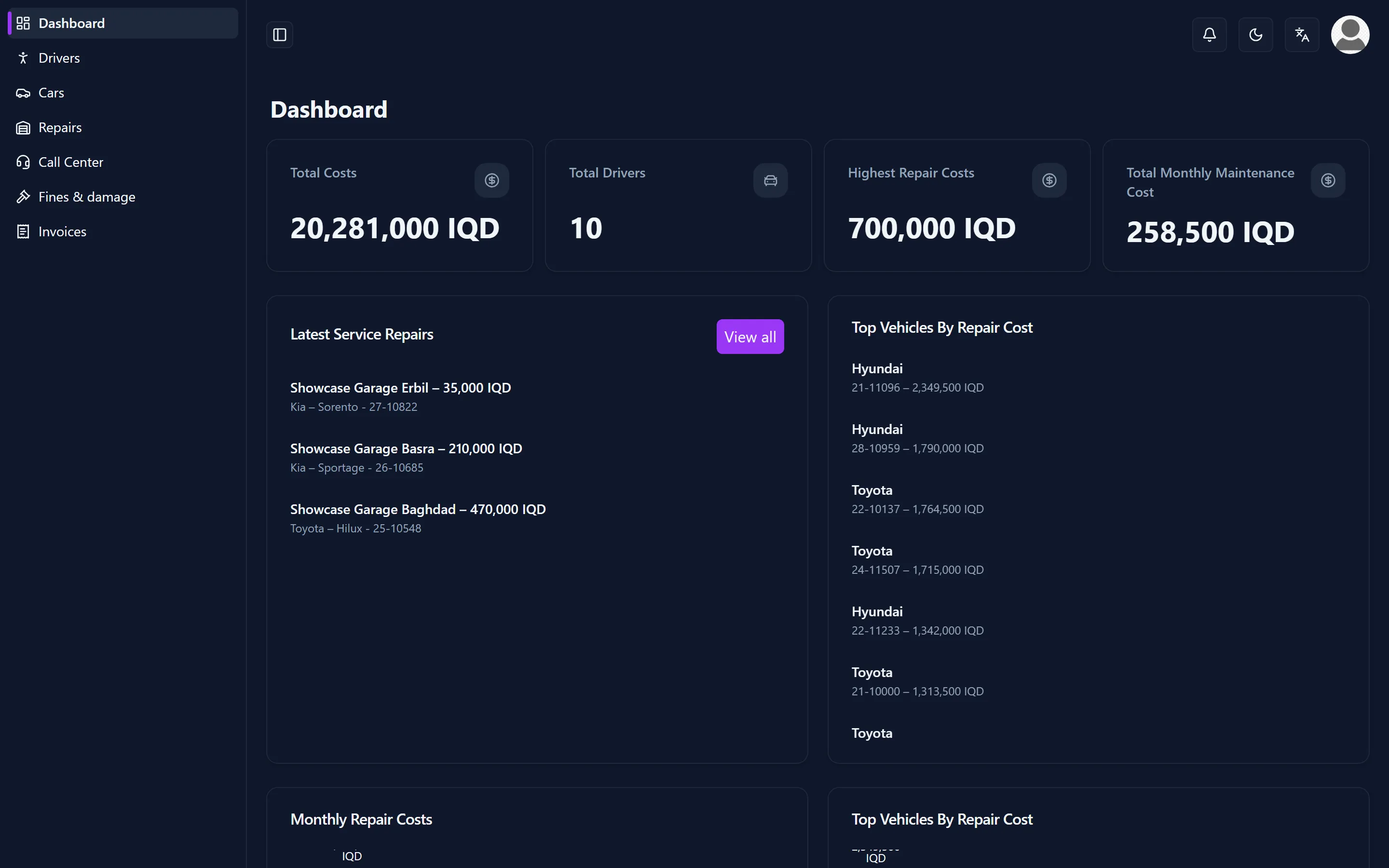
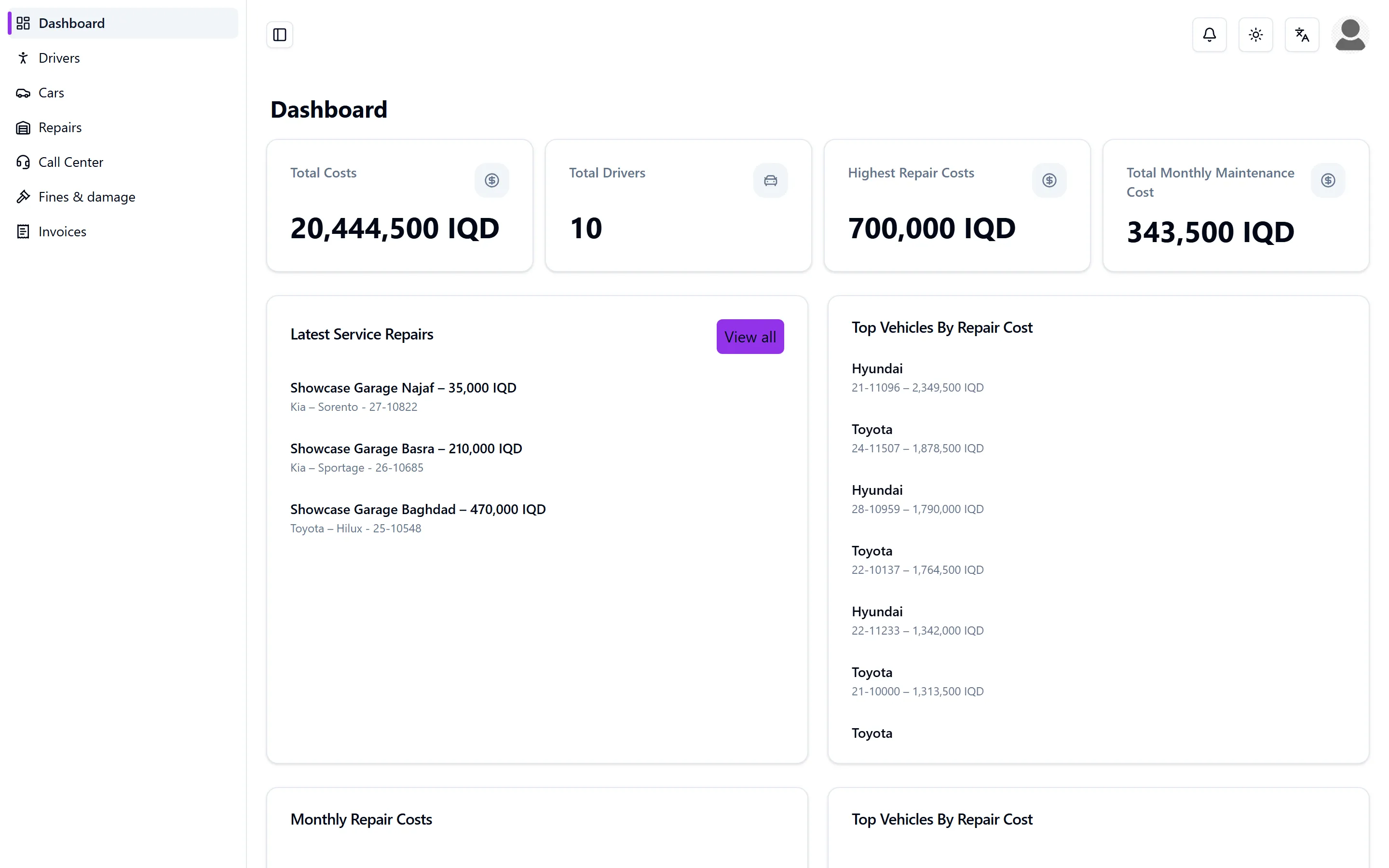
- Organization — Dashboard, Drivers, Cars, Repairs, Call Center, Fines & damage, Invoices.
- Technical — Dashboard, Intake, Repairs, Reservation, Call Center, Balance, Profile.
- Call Center — Issues, Messages, Drivers, Technicals, Repairs.
- Debit Collector — Bills, Commissions, Subscriptions.
Accounts
Nobody signs themselves up. An Admin creates accounts, and an organisation may create the accounts of its own people. An account that is deleted, made inactive or suspended stops working within a minute, even if somebody is signed in on it at that moment.
Roles that are switched off
Three roles exist in the record but cannot sign in: the driver on the phone, the dispatcher for roadside assistance, and the tow-truck driver. Since August 2026 the product is fleet maintenance and cost tracking. Their data was left untouched, so they can be brought back, but nothing in this handbook describes them.
The vehicle: dossier, catalogue and card
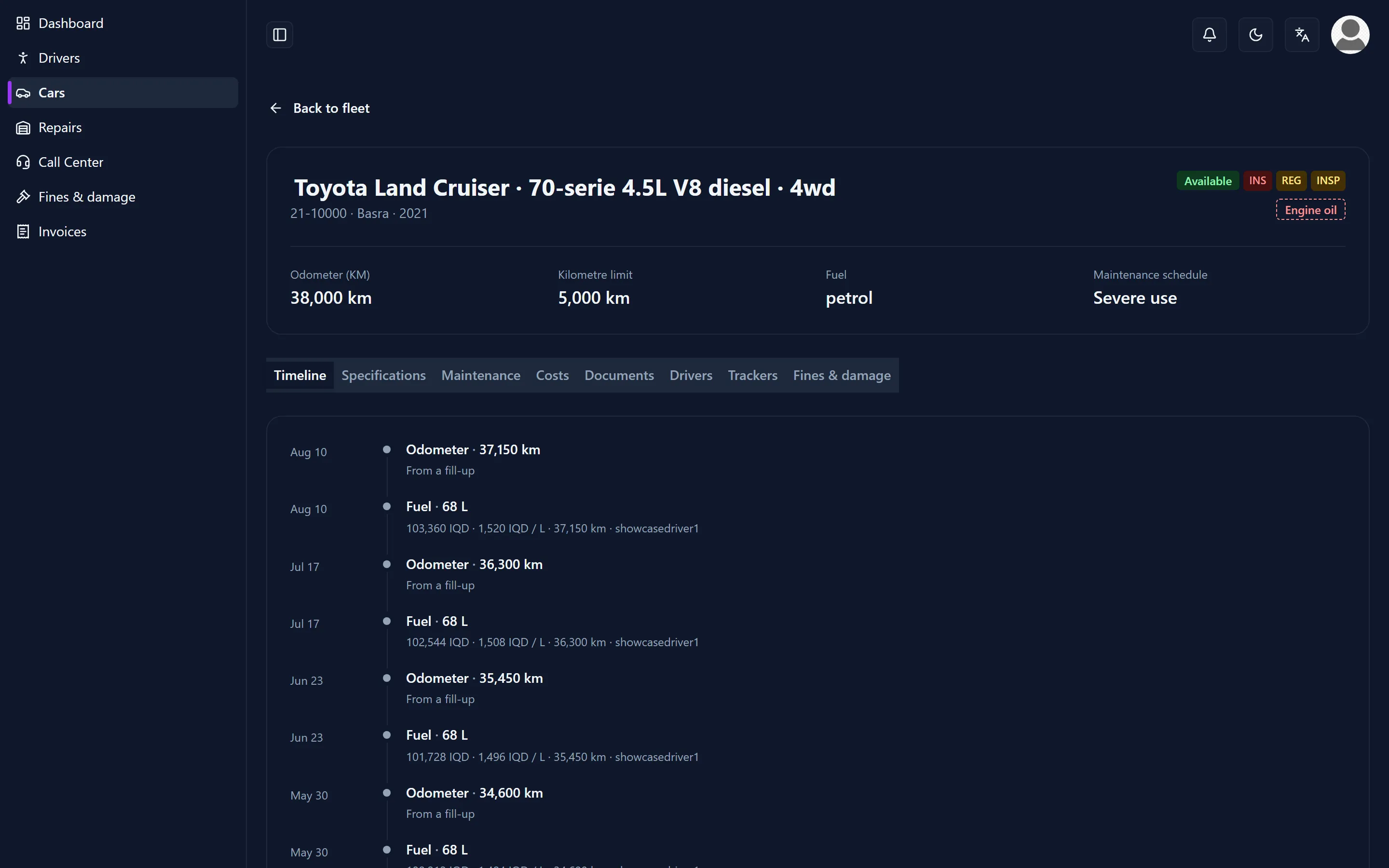
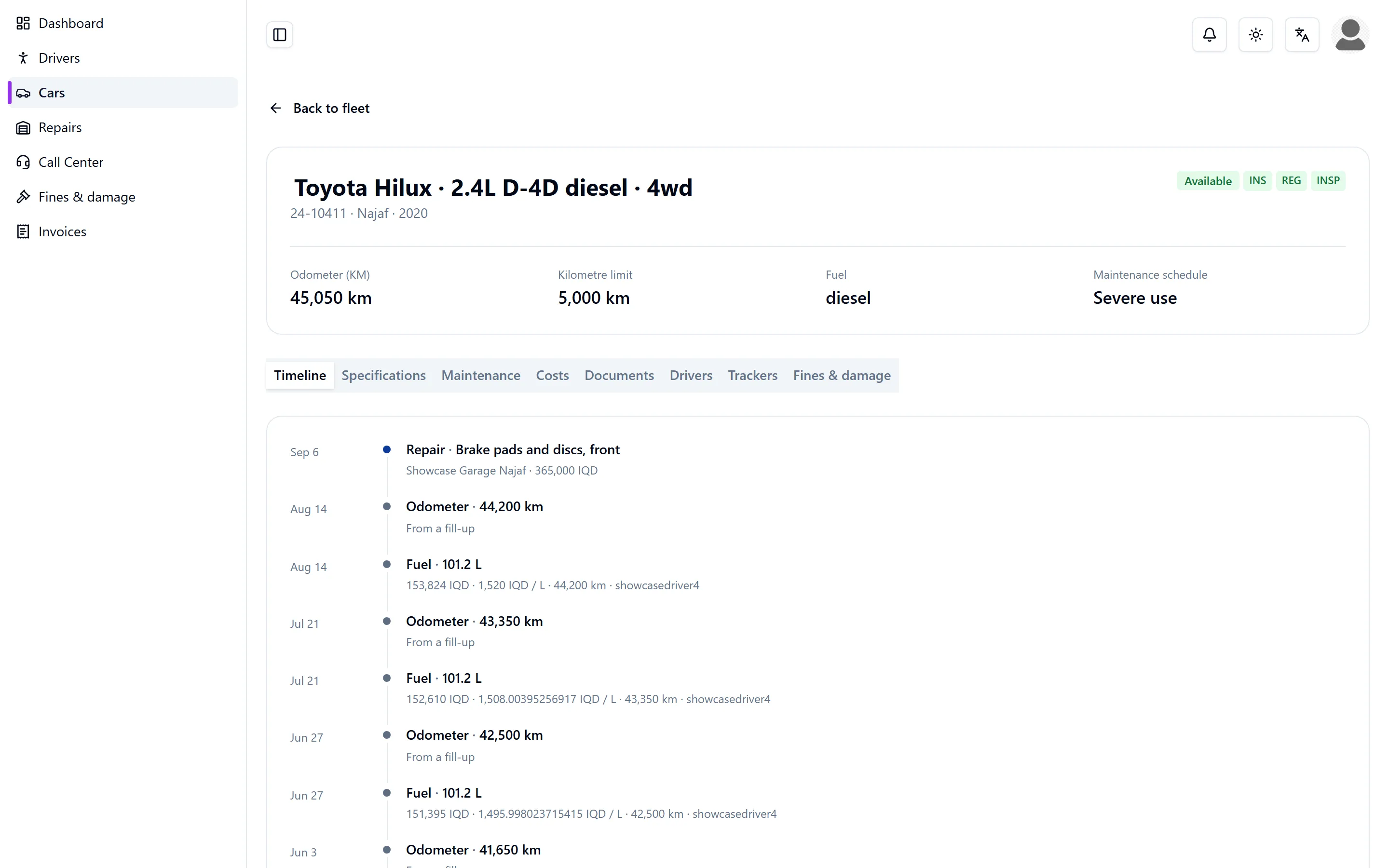
Cars lists the fleet. A row opens a side panel with the short answer, and the panel opens the full file of that vehicle. The file has eight tabs.
- Timeline — everything that happened to this vehicle, in order.
- Specifications — make, model, year, fuel, plate type, governorate, purchase date and price, insurer and policy number, and the expiry dates.
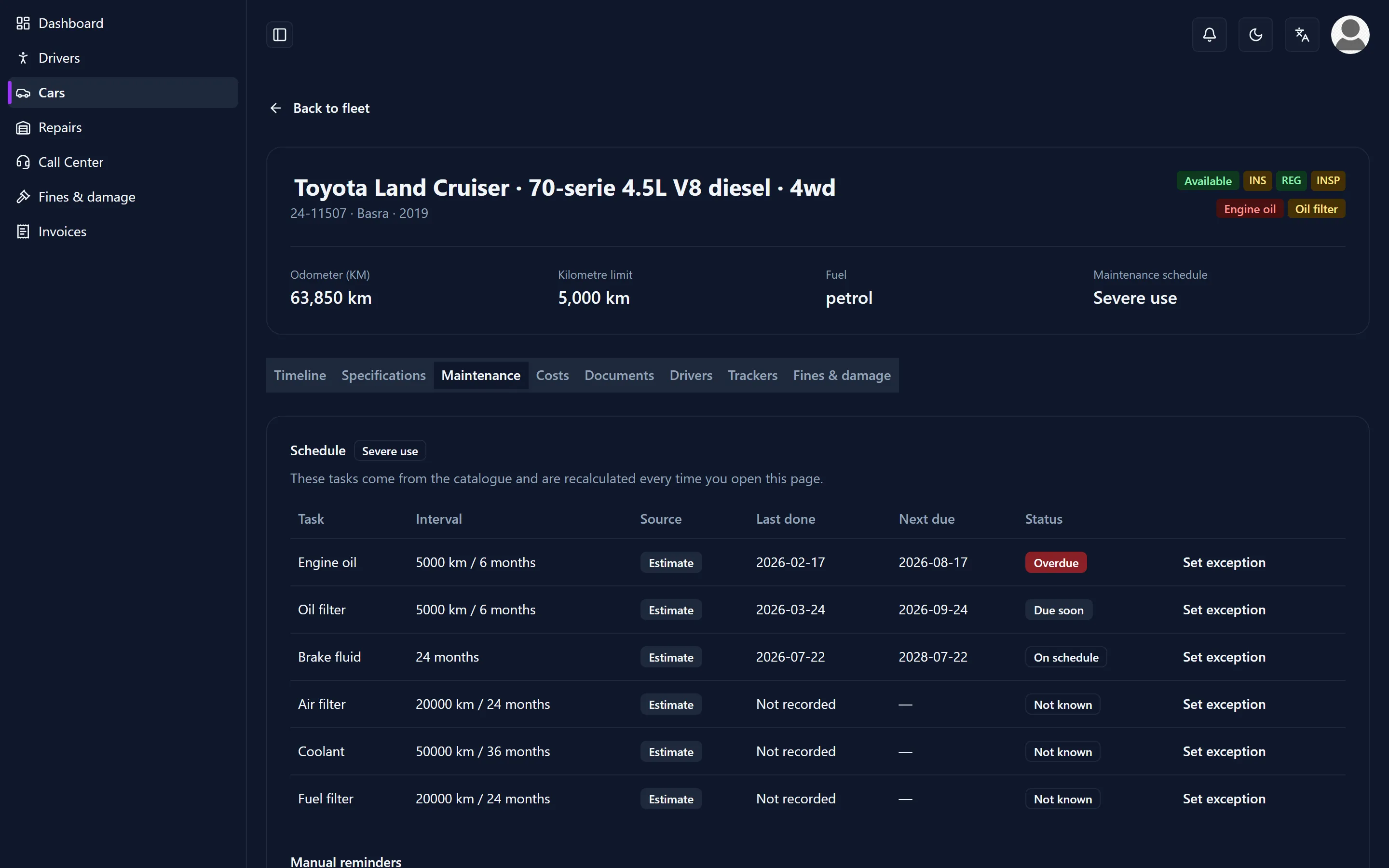
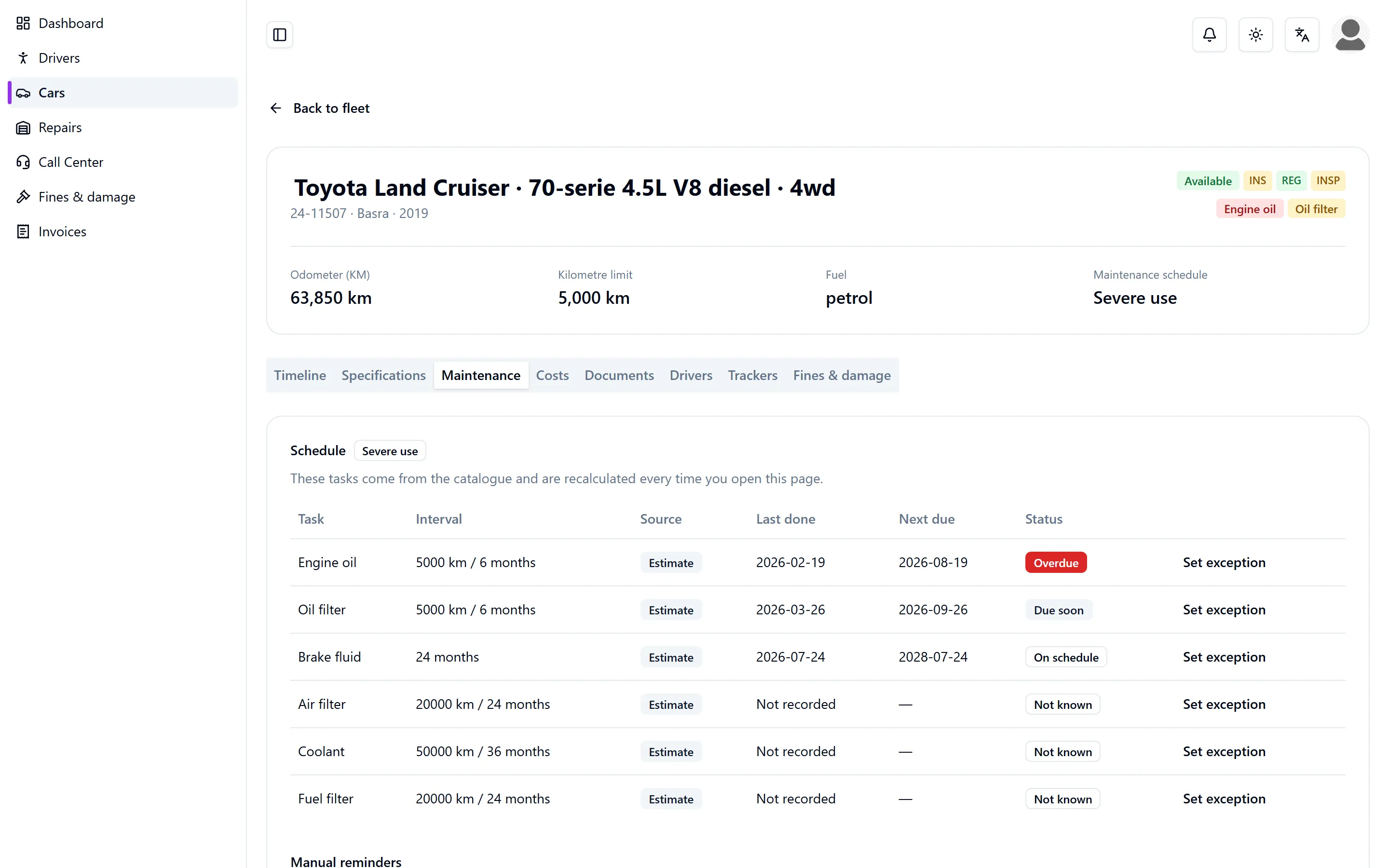
- Maintenance — every interval with its due date or due kilometres, and where that interval came from.
- Costs — what this vehicle cost per month, opened down to the day and to the single event.
- Documents — the papers of the vehicle itself: registration, insurance policy, inspection report. A receipt belongs to the repair or the fill-up it came from, not here.
- Drivers — who is assigned to this vehicle, and for which period.
- Trackers — the GPS box issued for this vehicle.
- Fines & damage — see the chapter on fines and damage.
The catalogue
An Admin keeps the Vehicle catalogue: models with a maintenance schedule. A new vehicle inherits the schedule of its model, so nobody has to invent one. The heavy schedule is the default, because dust, heat and unpaved roads are the normal case here; a single vehicle can be set back to the normal schedule.
Every interval says where it comes from: the manufacturer’s manual, or an estimate. Only a few models are filled in so far, and the estimates in them have not been checked against a workshop manual. A vehicle whose model is not in the catalogue still works — it simply starts without a derived schedule.
Bringing a fleet in
A whole fleet can be imported from a spreadsheet instead of typed in. Only the number plate is required. The import shows a preview with the problem rows marked before anything is saved.
The card in the glovebox
Every vehicle gets its own code, in the form AP-12345. From the vehicle list, Print cards produces a print-ready PDF for the whole fleet: bank-card size, with the code and a QR on it. The card lives in the glovebox. Nothing is stuck on the outside of the vehicle, so nobody on the street can tell which fleet it belongs to.
Who sees what of the file
The car code and the VIN come back only for an Admin and for the organisation that owns the vehicle. A garage never receives them, not even through a repair.
A garage has no access to the file at all. Purchase price, insurance and cost history are the customer’s business, not the repairer’s. This is a deliberate limit, not an omission.
The repair: from the card to the invoice
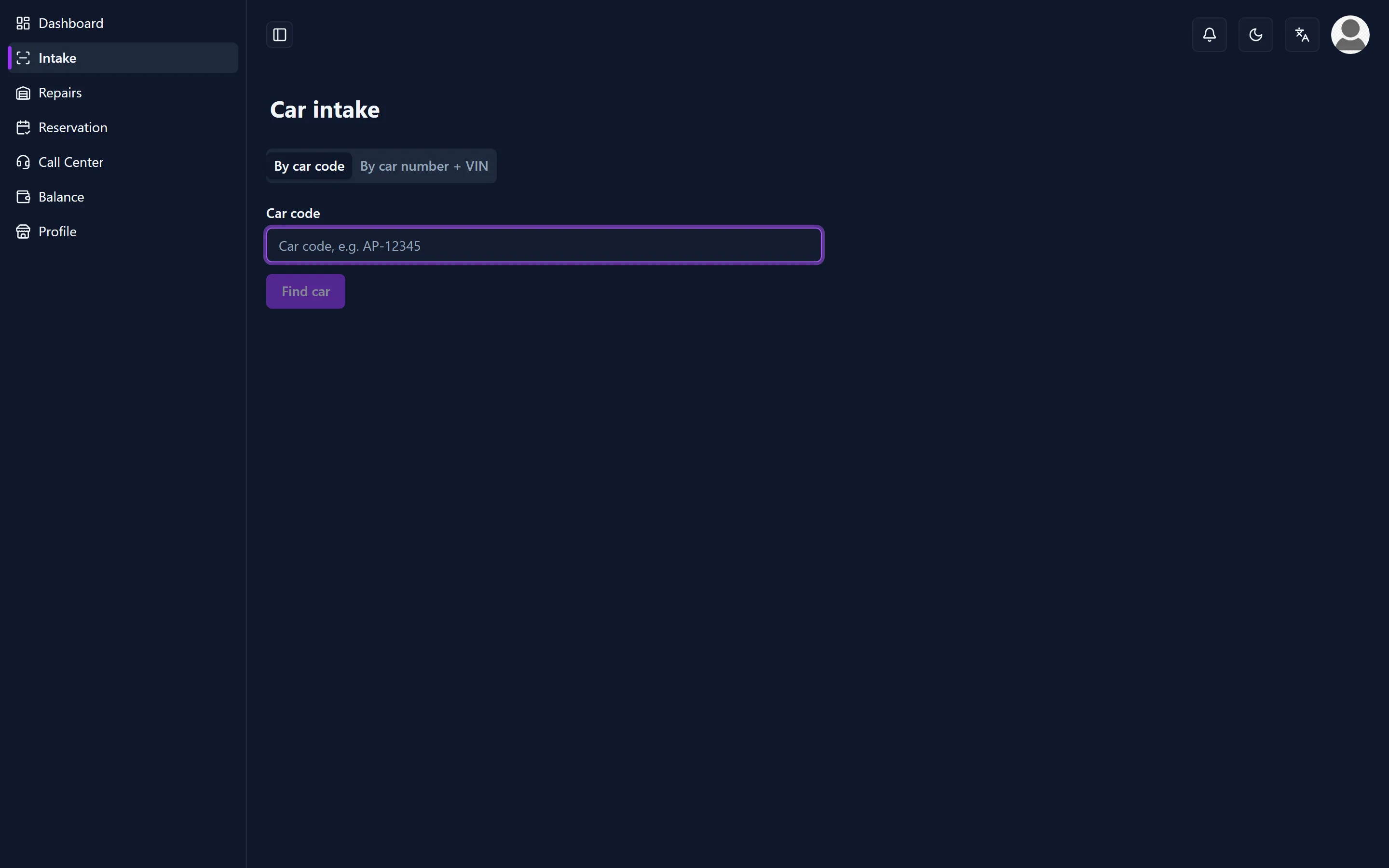
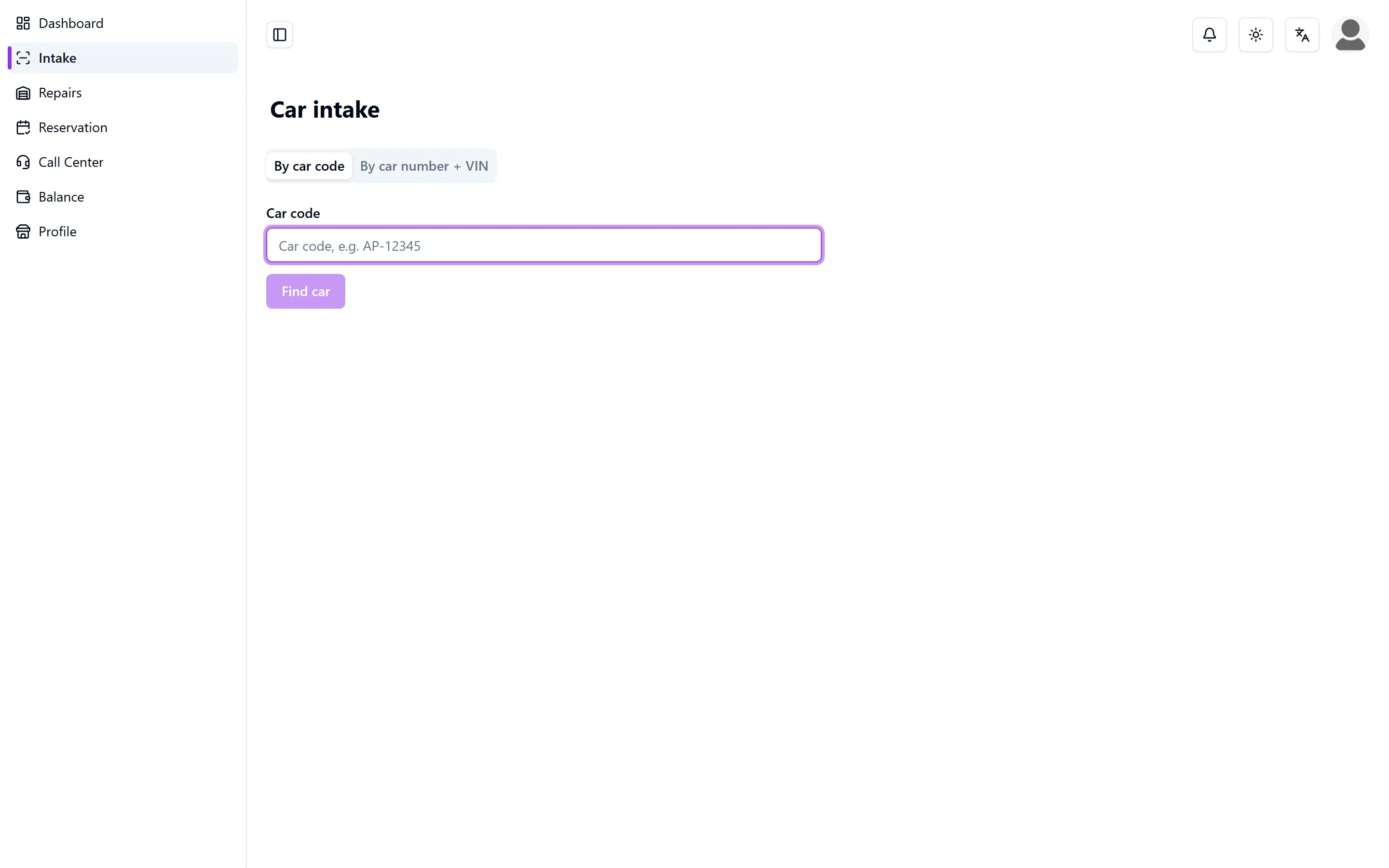
At the counter: Car intake
The customer arrives with the card from the glovebox. On Intake the garage has two tabs.
- By car code — type or scan the code, for example AP-12345, and press Find car.
- By car number + VIN — if the card is missing: the number plate together with the last six characters of the VIN. Both have to match.
What comes back is one vehicle card: make, model, car number and the organisation. Nothing else. From there the repair form opens with that vehicle already filled in.
Only an exact match counts. A wrong code, an unknown code and a wrong VIN all give the same answer, “No car found. Check the details and try again.” — so a code cannot be fished for by watching the error change. Every failed attempt is written down, and too many attempts in a row are refused for a few minutes.
The work order
Labour and parts are separate lines on the same work order, and tax is added from the garage’s own rate. On the Repairs board each stage is a column; a job is moved by dragging the card or through its menu, and its priority stays visible on the card so urgent work does not sink to the bottom.
A repair carries one of these statuses: Awaiting approval, Pending, In Progress, Completed, Paid, Rejected. While the work runs, the vehicle is in repair; completing it frees the vehicle again.
Approval, if your organisation wants it
Approval is off unless it is asked for, and only an Admin switches it on for an organisation.
- With approval on, a new repair starts at Awaiting approval. The garage sends its quote, and anybody in that organisation may Approve or Reject it.
- Approve records the amount that was approved. If the garage later raises the cost above it, the repair returns to Awaiting approval on its own. Lowering it is free.
- Reject needs a reason and is the end of that repair: there is no second quote on it. The garage opens a new repair instead, and the vehicle is available again.
- Nothing is approved by waiting. There is no deadline and no automatic yes; a daily reminder goes to the organisation until somebody decides.
- Repairs that are already running keep the rule they started under. Switching the setting on or off does not reach back.
- A rejected repair books no commission, and it counts nowhere as cost or as downtime.
Issues
Issues are defects reported from the field, triaged before they become a repair. An issue is Open, Picked up, Resolved or Dismissed, carries the odometer reading at the time and, if there is one, a photo of the defect so the garage sees it before the vehicle arrives. Dismissing an issue needs a reason — without one it simply gets reported again.
Reservations
A garage keeps its booked service slots on Reservation, and can accept, cancel or change the status of each one.
What the garage does not see
- The vehicle file, the purchase price and the insurance.
- What another garage did to the same vehicle, and what it charged for it.
- Any fleet other than the vehicle in front of it.
Money: ledger, invoices and receipts
Auto Plus+ records money and never holds it. There is no wallet, no payment button and no balance to top up.
Two streams
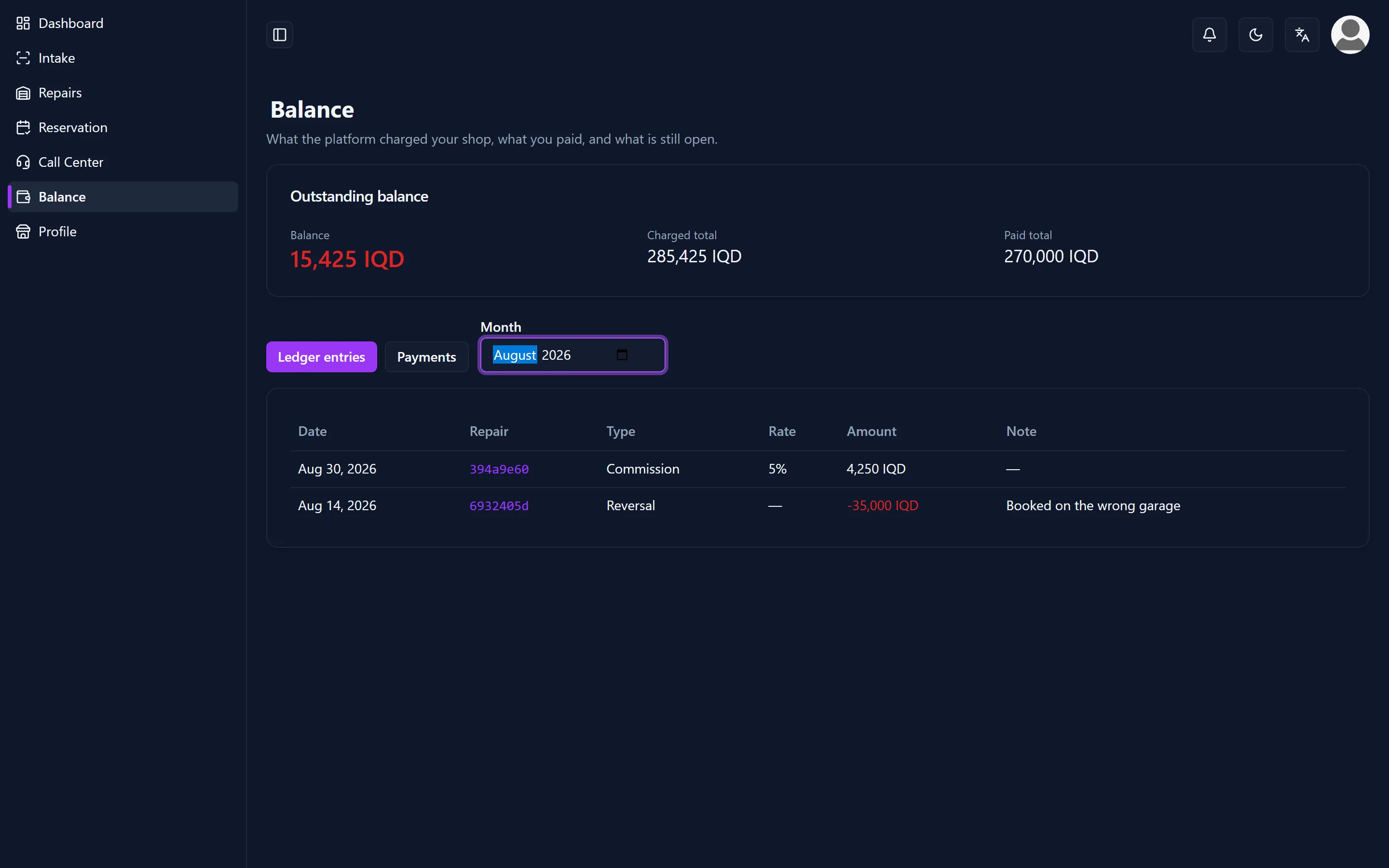
- Commission is what a garage owes on work it completed: a percentage of the repair cost, with a minimum amount.
- A subscription is what an organisation pays each month: a base amount plus an amount per vehicle.
An Admin sets both under Settings, and a single garage or organisation can be given its own rate.
Nobody books commission by hand
There is no “create commission” button. The booking happens when a repair moves to Completed, and it does so no matter which screen completed it. Completing an already completed repair does not book a second time.
If the booking itself fails, the repair is still saved and the monthly run picks up the missing line afterwards. The repair is the truth; the bookkeeping is never allowed to hold it up.
The collector at the counter
The collector works on two screens: Commissions for the garages, Subscriptions for the organisations. Register payment records what was handed over — the date, the amount and who took it.
Part payments are fine. An invoice turns Paid by itself once the payments cover the amount; there is no manual switch for it.
Every payment has a receipt with its own number, in the form RC-SC-NJF-0001. It shows the amount in figures and in words, in the language of the person paying, and the balance before and after. It prints from the browser.
Invoices for repairs
Bills groups the repairs of one garage over a period into a single invoice with its own bill code. Generate Bills makes them for every garage over the previous month in one action; Add Bill makes a single one for a garage and a period you choose. An invoice moves through Pending, Reviewed, Approved and Paid, and approving it creates the payment that belongs to it. Once an invoice is approved or paid it locks, so the record behind it stays as it was.
Every repair shows which invoice it is on, over which billing period, and for how much. An invoice is a snapshot: if the repair changes afterwards, the screen says that the two no longer agree instead of quietly following the new amount. An organisation can open the invoice from its own repair; the garage’s totals for its other customers stay out of that view.
Corrections
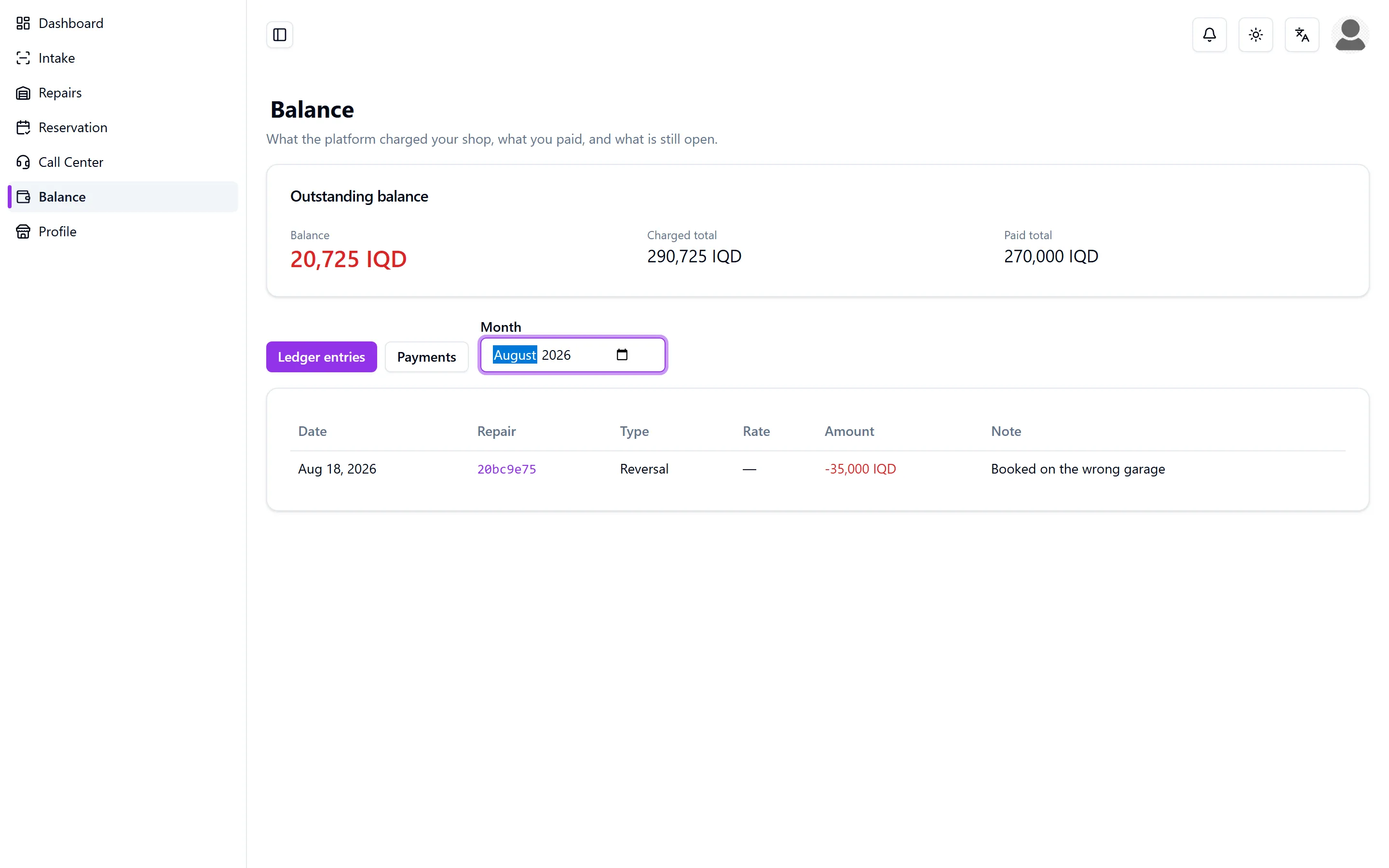
Both administrations only grow. Nothing is edited away and nothing is deleted; a correction is a line added next to what it corrects. With cash, the history is the only proof there is.
For a commission the ladder has four steps and then it stops:
- The system books the commission when the repair is completed.
- An Admin reverses it, and the counter-entry stays visible.
- An Admin books it again — recalculated from the cost and the rates as they stand now, because the amount was wrong in the first place.
- That rebooking can be reversed too.
A second rebooking is refused. Rebooking without reversing first is refused as well, so a garage can never be charged twice for the same repair. Whoever needs a third correction has a data problem, not a bookkeeping problem, and fixes it in the repair.
For a subscription invoice an Admin adds a correction line with a mandatory note. It may be positive or negative, and the status is recalculated in both directions: a negative correction on a paid invoice puts it back to open, which is the point.
Correcting is the Admin’s job. The collector registers what came in; he does not write off debt, and he cannot undo his own mistake at the counter.
What each side sees
- The garage sees Balance, with the tabs Ledger entries and Payments, and the receipt of every payment. Read-only. It registers nothing and corrects nothing.
- The organisation sees Invoices: its own subscription invoices and what has been paid on them. Read-only. It cannot settle its own invoice, and it never sees what the platform charges a garage.
Never a silent zero
Where a money figure cannot be read, the screen says so instead of showing a zero. A zero looks like an answer, and on a money screen a wrong answer is worse than none.
Maintenance, reminders, fuel and mileage
Reminders
A reminder falls due on a date, on a kilometre reading, or on both, and it can repeat. On Reminders the whole fleet stands together, and each one shows how urgent it is. A daily run moves that urgency along on its own, from fine to due soon to overdue, so the list is right when you open it. Completing a repeating reminder rolls it forward to its next due point.
The Maintenance tab of a vehicle shows the same thing for that one vehicle: every interval, when it is due, and where the interval came from.
Papers that expire
Insurance, registration, inspection and warranty carry their expiry date on the vehicle itself, and the list changes colour as the date comes closer without anybody updating it. The Upcoming expiry dates report puts the whole fleet in one list, for a chosen number of days ahead.
Fuel
Fuel logs holds the fill-ups: date, litres, amount and the odometer reading. Consumption and cost per kilometre follow from those readings, which is why the odometer matters more than it looks. A receipt can be attached to a fill-up so the litres and the amount stay provable.
Fuel can be imported from a CSV file with the template on the screen, up to a thousand rows at a time; rows that cannot be read come back with the reason instead of being dropped.
Mileage
Where a tracker reports a vehicle’s odometer, the mileage is measured. Where there is no tracker, it is whatever was written down at the last fill-up or entered by hand. The reports say which of the two you are looking at, and a figure that rests on too few readings is marked as such rather than presented as fact.
Costs and reports
Vehicle costs
Vehicle costs puts the cost per vehicle per month side by side. Click a month and it opens into days; click a day and it opens into the repairs and fill-ups that made it. There is a year filter, and the screen exports to CSV. Only fuel and repairs count in that figure.
The report screen
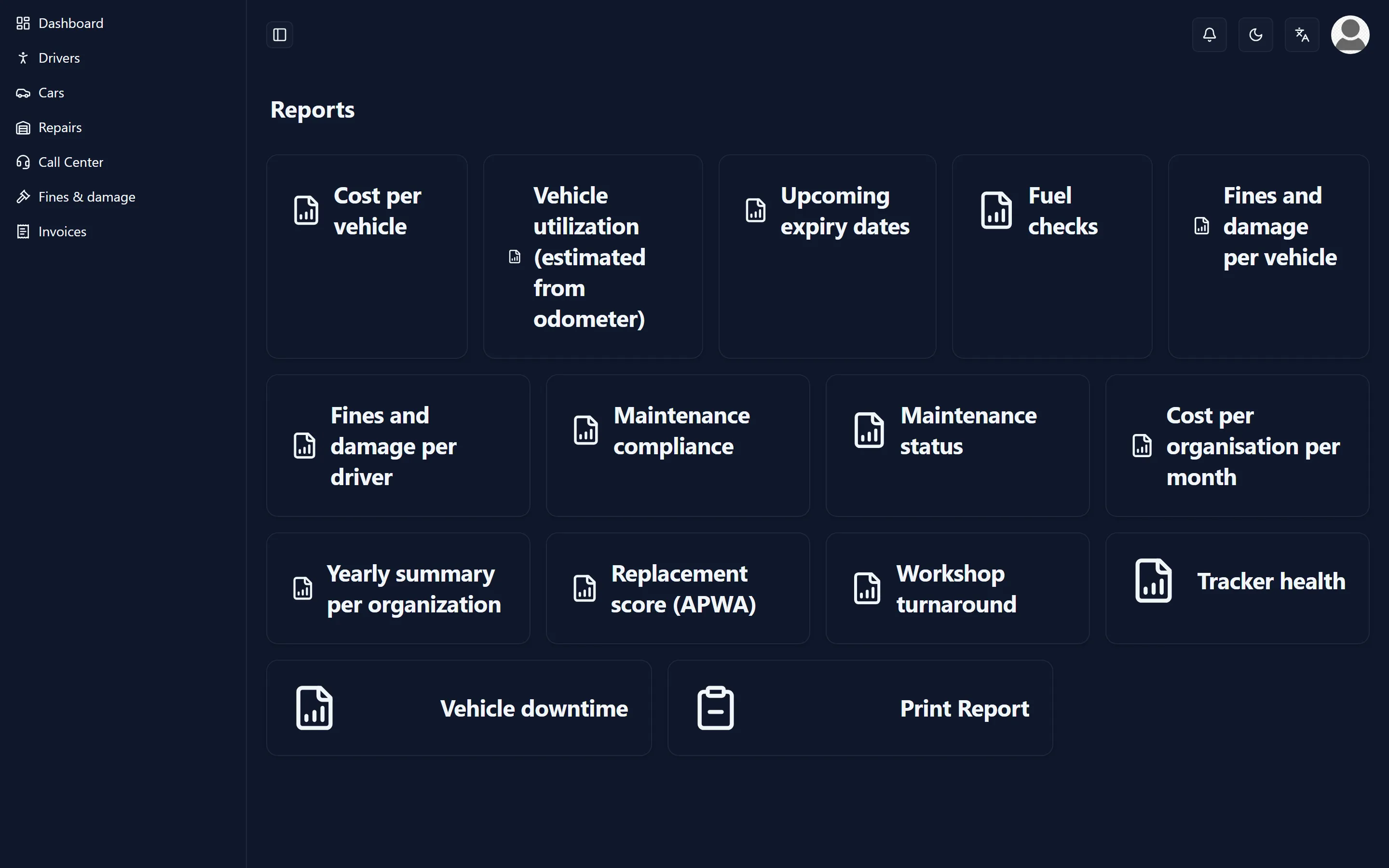
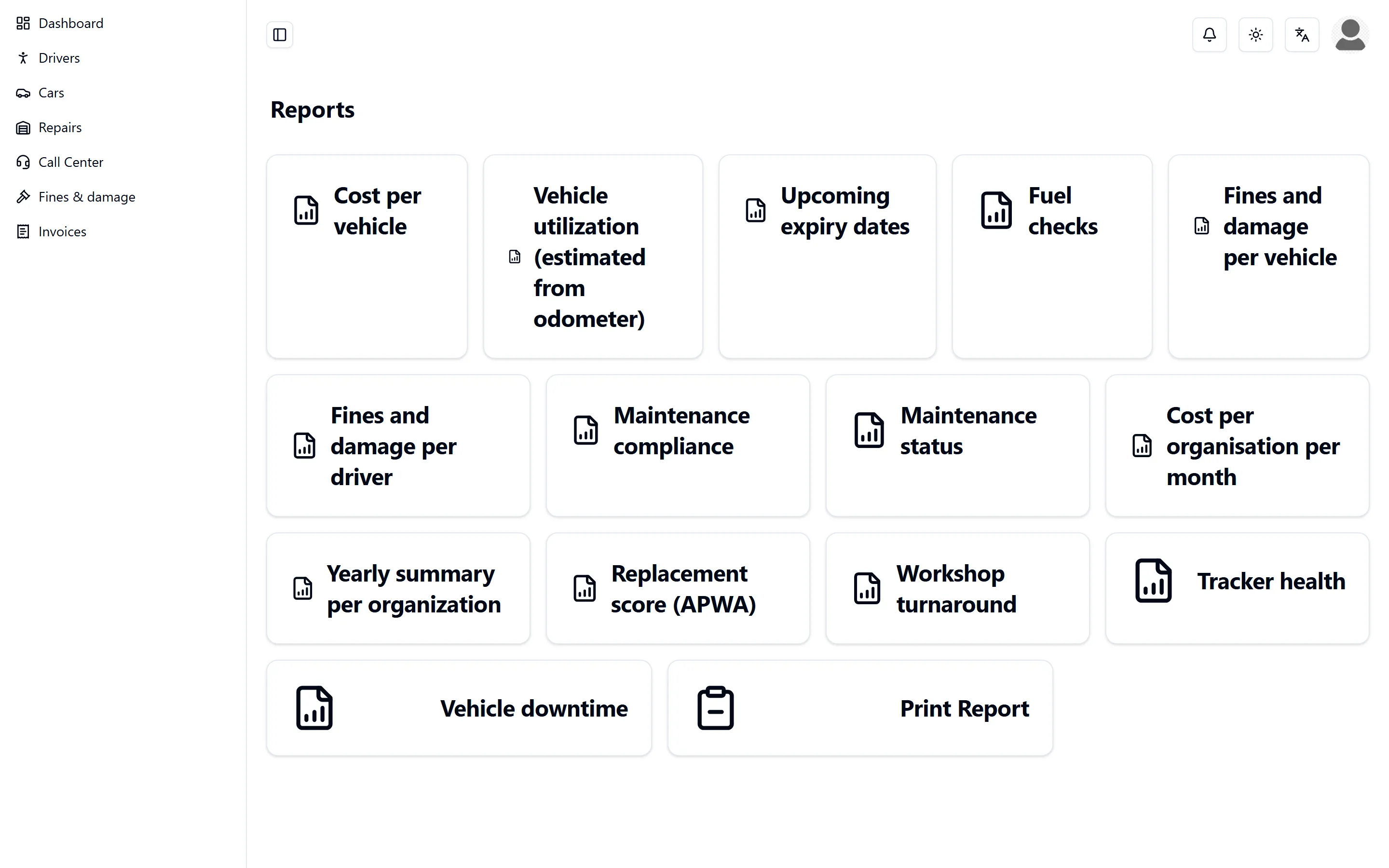
Reports is a card per report. Run runs it against the filters you set, CSV takes the result with you. Report definitions are rows in the record rather than code, so a new column or filter does not have to wait for a release.
A report is honest about itself:
- “This report has no rows for the selected filters.”
- “This report hit its row limit, so what you see is incomplete. Narrow the filters.”
- “This report is not available for your role.”
And so are the figures in it. A number says whether it was measured or estimated and whether there were enough readings to trust it; a value that is not known shows as unknown and never as zero.
Which question does each report answer
| Report | The question it answers | Who can run it |
|---|---|---|
| Cost per vehicle | What did this vehicle cost over this period, in repairs and in fuel, and what is that per kilometre? | Admin, Organization |
| Cost per organisation per month | What did the fleet cost, month by month? | Admin, Organization |
| Commission per garage | What was booked on this garage, what was reversed, and what is left? | Admin, Debit Collector |
| Outstanding bills | Which bills are unpaid, and how old are they? | Admin, Debit Collector |
| Upcoming expiry dates | Which insurance, registration or inspection runs out within the next so many days? | Admin, Organization |
| Audit trail | Who changed what, and when? | Admin |
| Audit chain verification | Is the sealed record still unbroken? | Admin |
| Tracker health | Which trackers have gone quiet? | Admin, Organization |
| Unmapped trackers | Which devices are reporting without a vehicle behind them? | Admin |
| Vehicle utilization (estimated from odometer) | Which vehicles stand still, and could the fleet be smaller? | Admin, Organization |
| Replacement score (APWA) | Which vehicle is due for replacement, and on what grounds? | Admin, Organization |
| Vehicle downtime | How long was this vehicle out of service? | Admin, Organization |
| Workshop turnaround | Which garage takes longest to hand a vehicle back? | Admin, Organization |
| Maintenance status | What is overdue right now? | Admin, Organization |
| Maintenance compliance | What share of the services was done on time? | Admin, Organization |
| Fuel checks | Was more fuel put in than fits in the tank? | Admin, Organization |
| Yearly summary per organization | What did this organisation spend this year, for the budget? | Admin, Organization |
| Fines and damage per driver | Who is carrying which fines and damage? | Admin, Organization |
| Fines and damage per vehicle | Which vehicle keeps collecting fines and damage? | Admin, Organization |
Next to these there is a Print Report card for a printable repair report.
Taking the numbers with you
Every report exports to CSV, and so does the vehicle-costs screen. Beyond that an Admin can export seven lists whole: vehicles, fuel logs, odometer readings, repairs, maintenance reminders, bills and payments. Digits stay western in every export.
Fines and damage
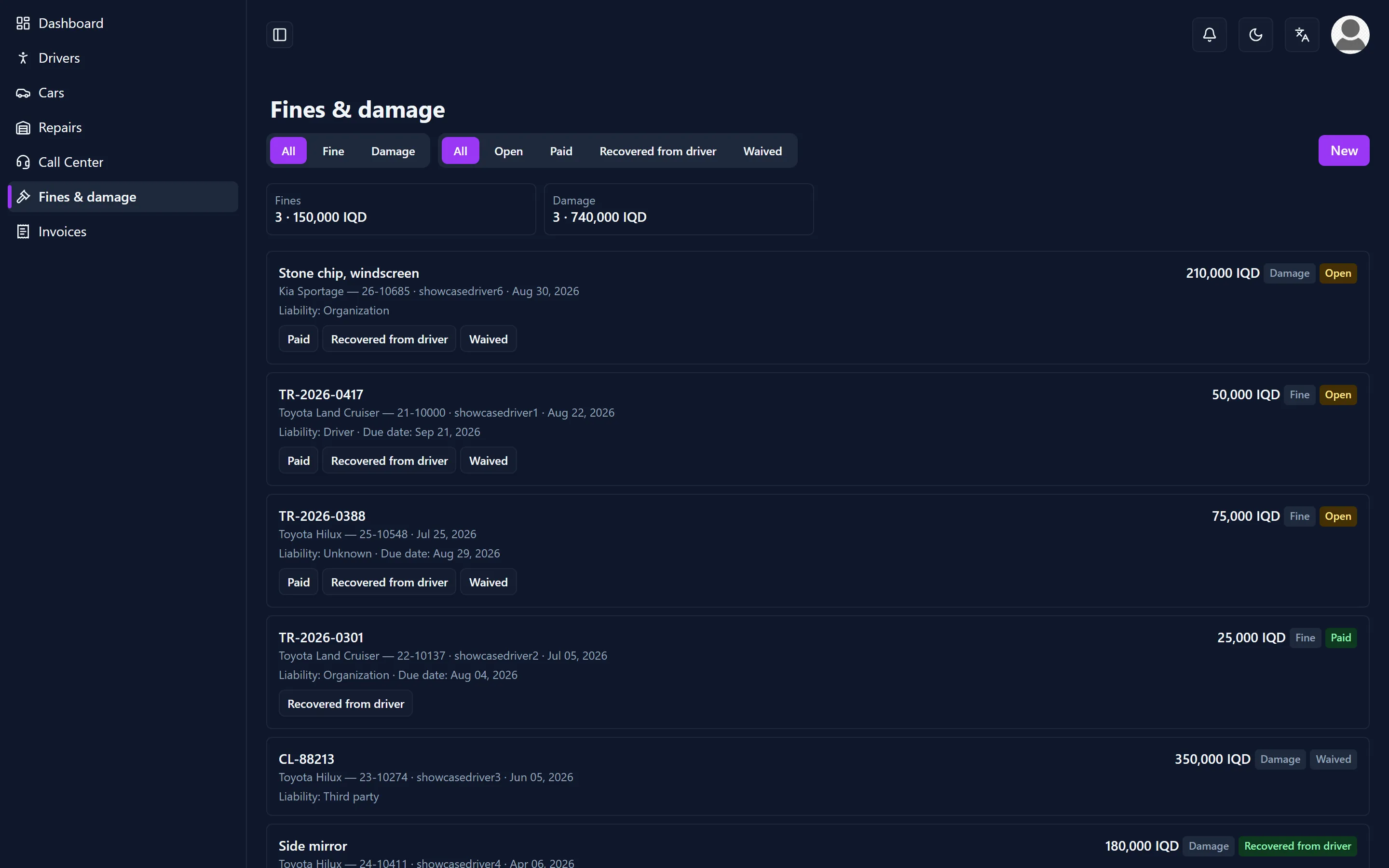
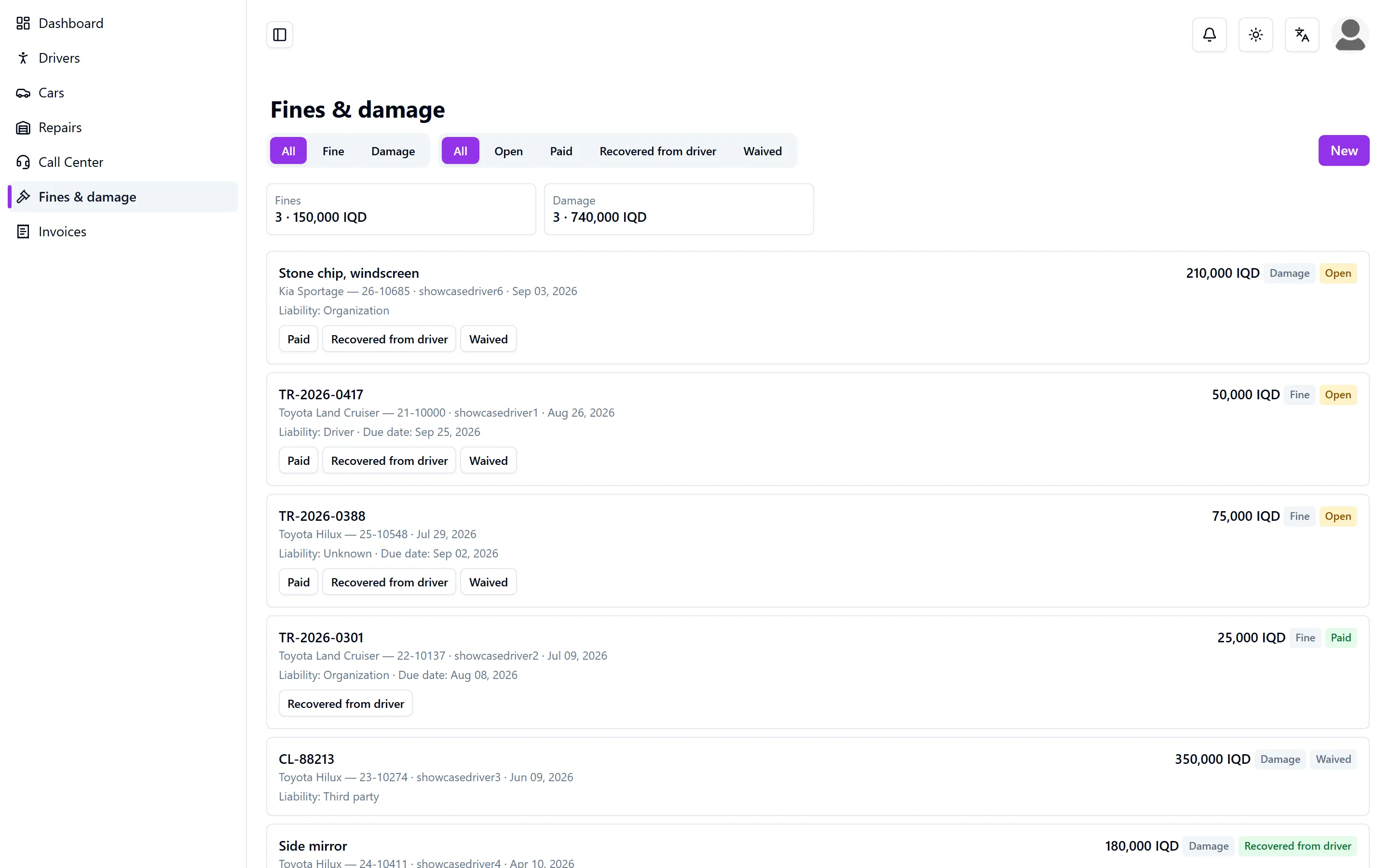
Fines & damage is its own screen for an Admin and for the organisation, and a tab on every vehicle. An entry is either a Fine or Damage, and it always hangs on the vehicle it happened to.
- Somebody carries it. When the entry is written, the driver assigned to that vehicle at that moment is proposed. That proposal can be changed: liability can also sit with the organisation itself or with a third party.
- Four states. An entry is Open, and closes as Paid, Recovered from driver, or Waived. “Recovered from driver” is a state and not a money movement: nothing is deducted from anybody anywhere in the system.
- A fine can carry a due date, and until somebody decides, a reminder comes back every day.
- A photo of the damage may be attached, but it is not required.
- Reopening a closed entry and deleting one are for an Admin only. A deletion is sealed in the audit trail, because a fine that has “gone” is exactly what an audit wants to see.
The organisation and the Admin write these entries. The call centre and the collector may read them — the call centre because it takes the report, the collector because an outstanding amount touches what he collects. A garage sees none of it.
Fines and damage land in the cost per month of the vehicle, and in two reports of their own. The cost of repairing damage is left out of the maintenance figures in the replacement score and the yearly summary, so one accident does not make a vehicle look expensive to keep.
The map and where a vehicle is
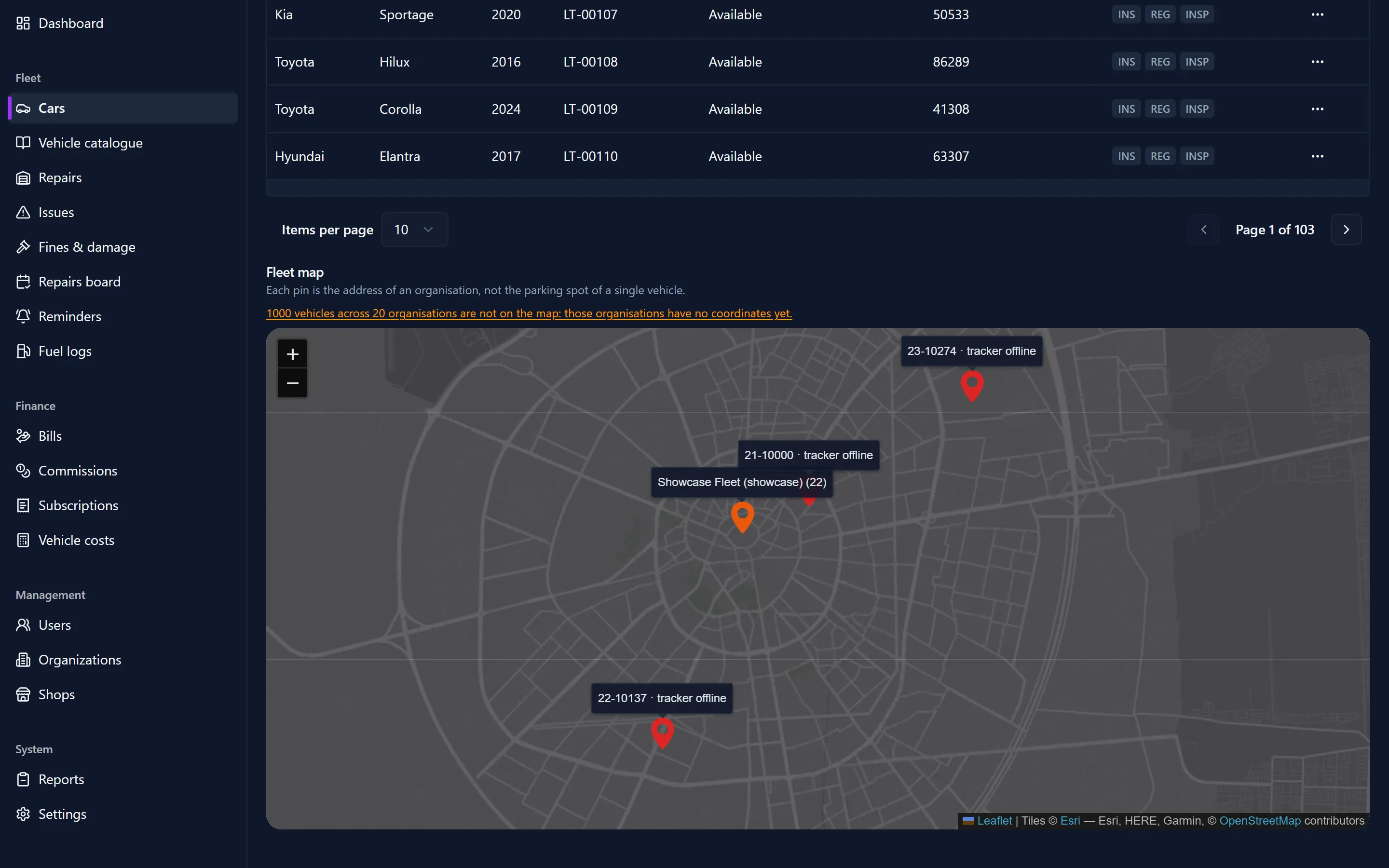
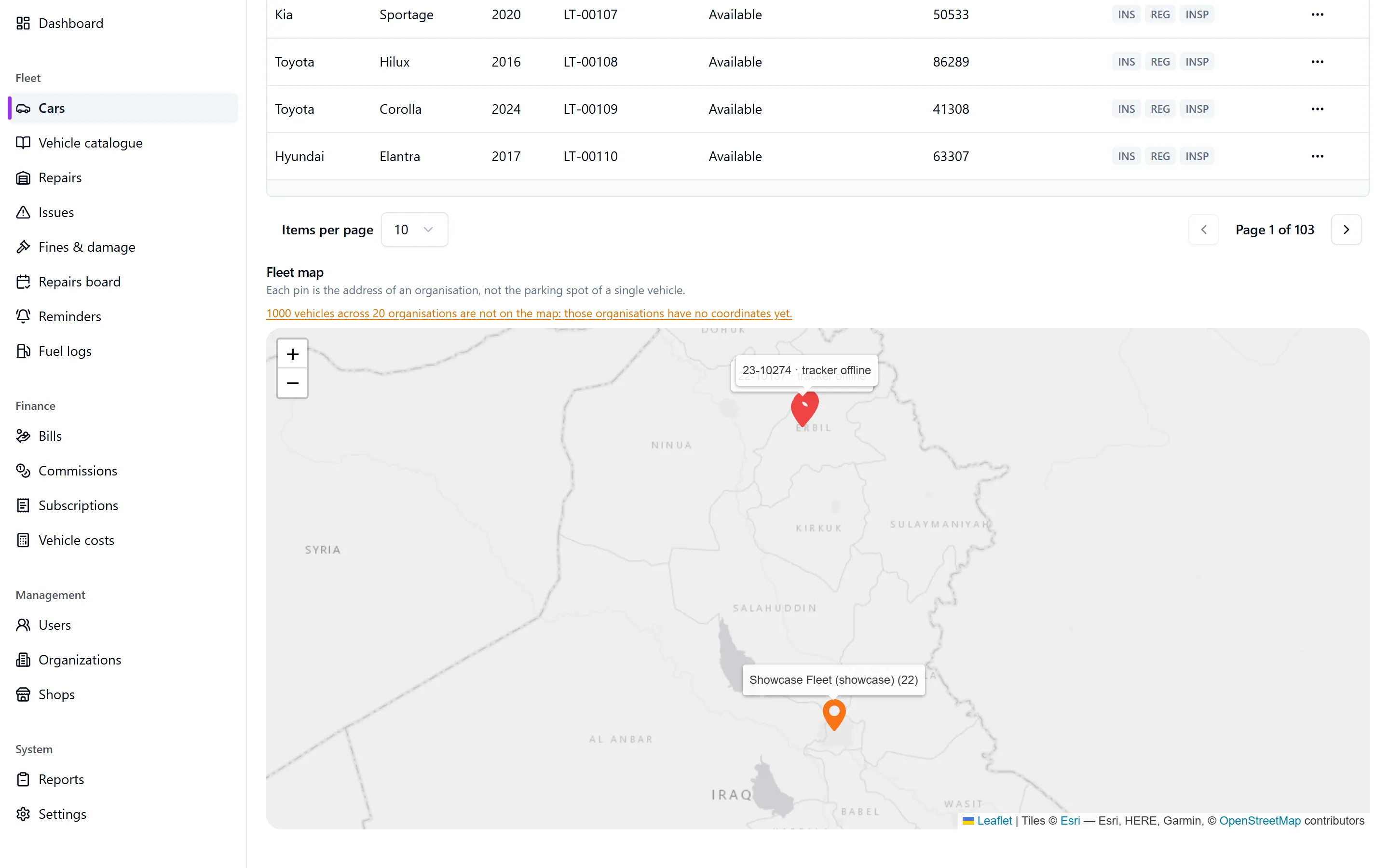
Under the vehicle list sits the Fleet map. Each pin is the address of an organisation with the number of vehicles based there — not the parking spot of a single vehicle, and the map says so itself. Organisations without coordinates are counted out loud: so many vehicles across so many organisations are not on the map. Coordinates are typed on the organisation; nothing is looked up automatically.
Where a vehicle carries a tracker, its actual position is shown, and the age of that answer is part of it: now, twelve minutes ago, three hours ago, two days ago. So is the source: Tracker, Driver phone, or Last seen at a garage. Knowing how a position was learned is half of knowing where a vehicle is.
- A tracker that has gone quiet for longer than its own reporting interval is flagged offline. If that check could not run at all, the map says so instead of quietly suggesting that everything is fine.
- Tracking is per vehicle and can be switched off. Switching it off deletes the positions of that vehicle immediately. Positions older than thirty days are deleted anyway.
- Switching tracking on or off is sealed in the audit trail.
- The call centre does not see positions, although it does see the vehicle list. Where a vehicle is, is fleet business.
Any common GPS box can be connected, not only one brand. A device that reports without being linked to a vehicle turns up in the Unmapped trackers report, so an unpaired box is visible instead of lost.
The audit trail, in plain words
Two things are written down, and they are not the same thing.
Sealed events cover money and rights: a repair, a bill, a commission line, a payment, a subscription, a user, an organisation, a garage, the tracking of a vehicle, a device, a document, an incident. Sealed means two things. The entry is written before the change, not after it. And if the entry cannot be written, the change does not happen either — you would rather be told that an action failed than discover later that it happened unrecorded.
Ordinary logging covers the rest: signing in, an export, a reminder that went out. It is written down as well, but it never blocks anything.
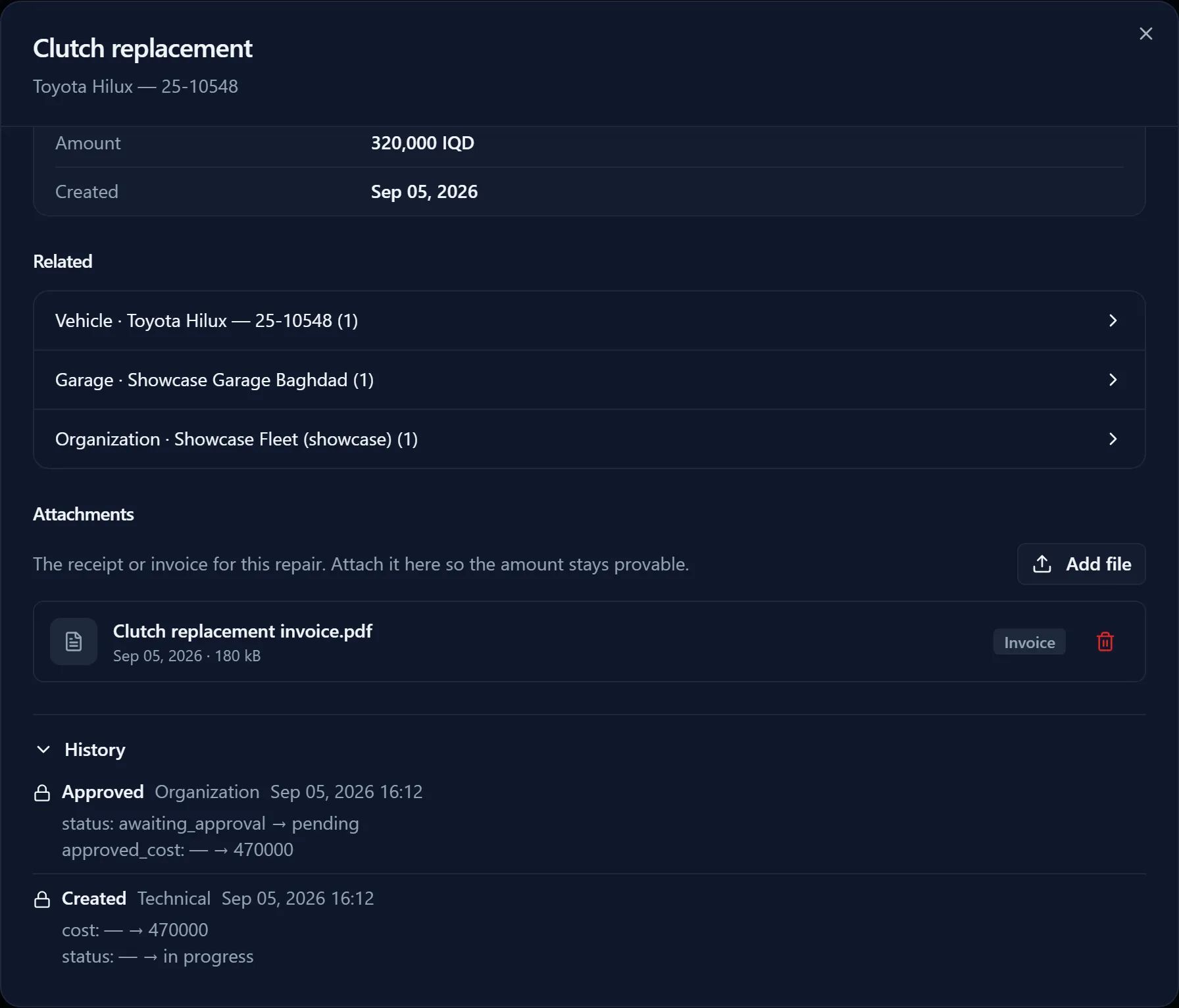
Sealed entries are chained: each one carries a fingerprint of the one before it. Change or remove an entry afterwards and the chain no longer adds up, which is visible. The Audit chain verification report says whether it is still intact, and from which entry onwards it is not.
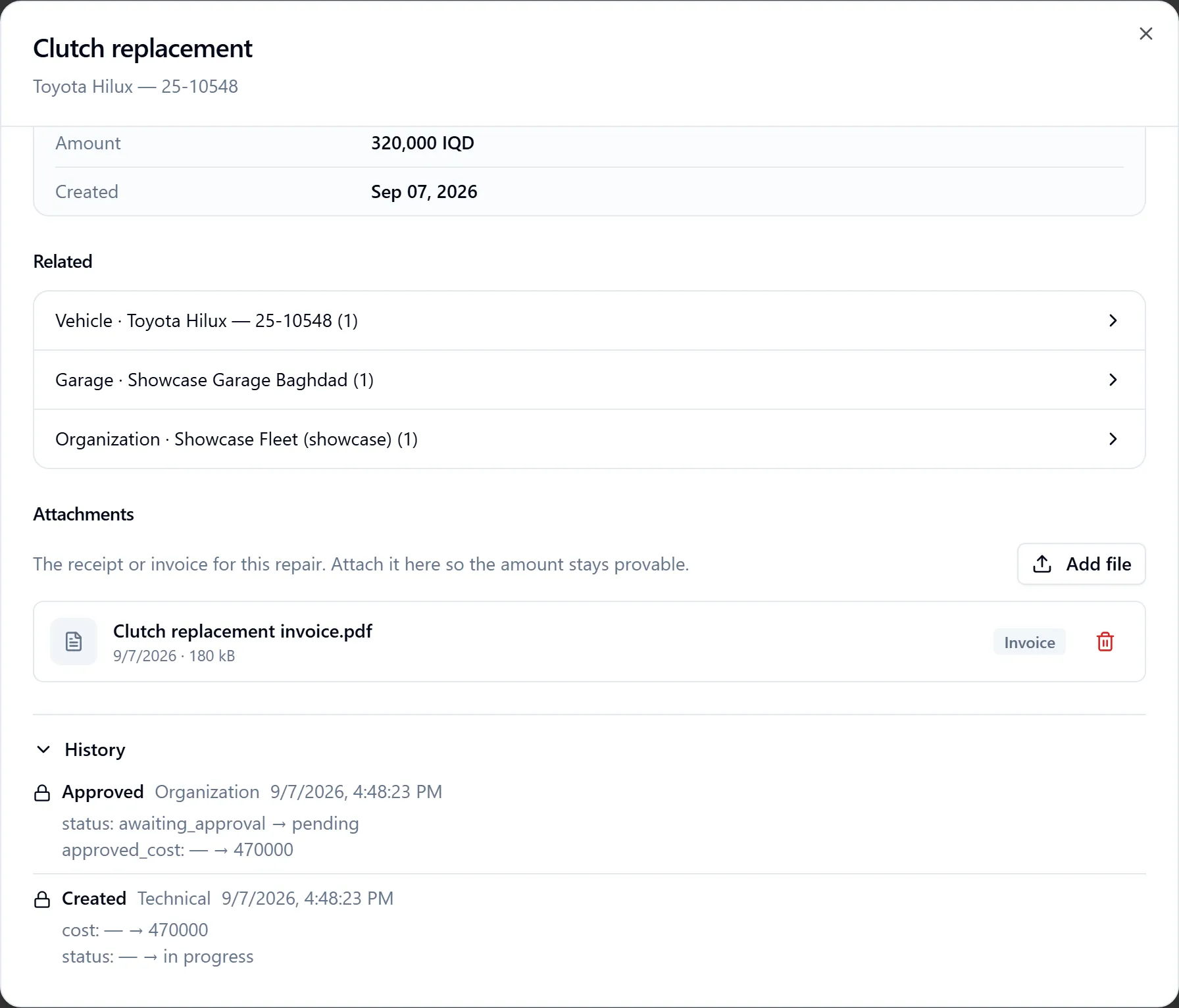
On a record itself, History shows that record’s own trail: who did what, when, and in which role. The Audit trail report does the same across a period, a subject or a role, and is for an Admin.
Languages, access and support
Three languages
The dashboard is English, Arabic and Kurdish (Sorani), and so are the reports and the receipts. Arabic and Kurdish read right to left and the whole screen mirrors with them. Digits stay western, so an amount reads the same in a report, on a receipt and in an export.
Signing in
Everybody signs in at system.myauto.plus with the user name and password issued to them. There is no self-registration. Repeated failed attempts are slowed down, and an account that is deleted, made inactive or suspended loses access within a minute.
The garage’s own details
A garage keeps its contact person, phone number, email, address and opening hours up to date under Profile. Its name, its code, its tax rate and its commission rate stay with the back office, and every change it makes is sealed in the audit trail.
Support
Call Center is the support desk. It answers messages from users, and a reply marks the message answered for everyone. An organisation reaches the desk under Call Center in its own menu; a garage the same way.
What is not there yet
The honest half. These are the things a new user runs into, written down so nobody has to discover them.
- There is no app for a driver. Trip logging, the driver app and roadside dispatch are switched off. Everything happens in the browser.
- Receipts and reports print from the browser. There is no server-made PDF yet, so an emailed report is a print or an export, not a document with a seal on it.
- A vehicle that stands still can look offline. A tracker that reports less often than expected — because the vehicle is parked for a week — is flagged the same way as a tracker that broke.
- Maintenance compliance needs time. It can only count services completed since it was switched on, so for the first months a single late service swings the percentage hard.
- The vehicle catalogue is thin. Only a few models have a schedule and a tank size. For everything else the reports fall back on platform-wide defaults, and columns such as tank capacity read as unknown.
- Some report values still read in English on an Arabic or Kurdish screen.
- A few counts on the admin dashboard fall back to zero when they cannot be read, instead of saying that they could not be read. The money figures on that screen do not: they refuse to show a number they cannot vouch for.
Glossary
- Organisation — a fleet owner. It owns vehicles and drivers and sees only its own.
- Garage — a workshop that repairs vehicles. In the dashboard the role is called Technical.
- Car code — the unique code of one vehicle, in the form AP-12345. It is what a garage types at the counter.
- Glovebox card — the printed card with that code and a QR on it, kept in the vehicle.
- Intake — the garage screen where a vehicle is opened by its code, or by plate plus the last six of the VIN.
- Work order — one repair, with labour and parts as separate lines.
- Approval — the optional step where an organisation has to accept the quote before work starts.
- Commission — what a garage owes Auto Plus+ for a completed repair.
- Ledger entry — one line in the commission ledger: a booking, a reversal or a rebooking.
- Reversal — a counter-entry that cancels a booking without removing it.
- Subscription invoice — the monthly invoice of an organisation: a base amount plus an amount per vehicle.
- Collector — the person who takes cash and registers it. In the dashboard the role is called Debit Collector.
- Receipt — the numbered proof of a payment, with the amount in figures and in words.
- Incident — a fine or a case of damage, recorded against a vehicle and usually against a person.
- Tracker — the GPS box in a vehicle that reports its position; it is identified by its IMEI.
- Dossier — the file of one vehicle, with its eight tabs.
- Reminder — a maintenance alert on a date, on a kilometre reading, or both.
- Audit trail — the record of who changed what and when; for money and rights it is sealed and chained.
Changelog
Newest first. Whoever changes the handbook adds a line here.
- 9 September 2026 — Rewritten from scratch and moved from the repository to this site, in English, Arabic and Kurdish. Added everything built since July 2026: the vehicle file and the catalogue, the garage card and intake, quotes and approval, the commission ledger, subscriptions, the collector and receipts, reports and the audit trail, fines and damage, the map and vehicle positions. Removed what is no longer switched on: trip logging, the driver app and roadside dispatch. Checked against the dashboard at commit ffa71b6.
- 14 July 2026 — First handbook, kept in the repository as a single document.
Checked against the dashboard at commit ffa71b6 on 9 September 2026.